 Fay Fang
Four jobs hide inside one request
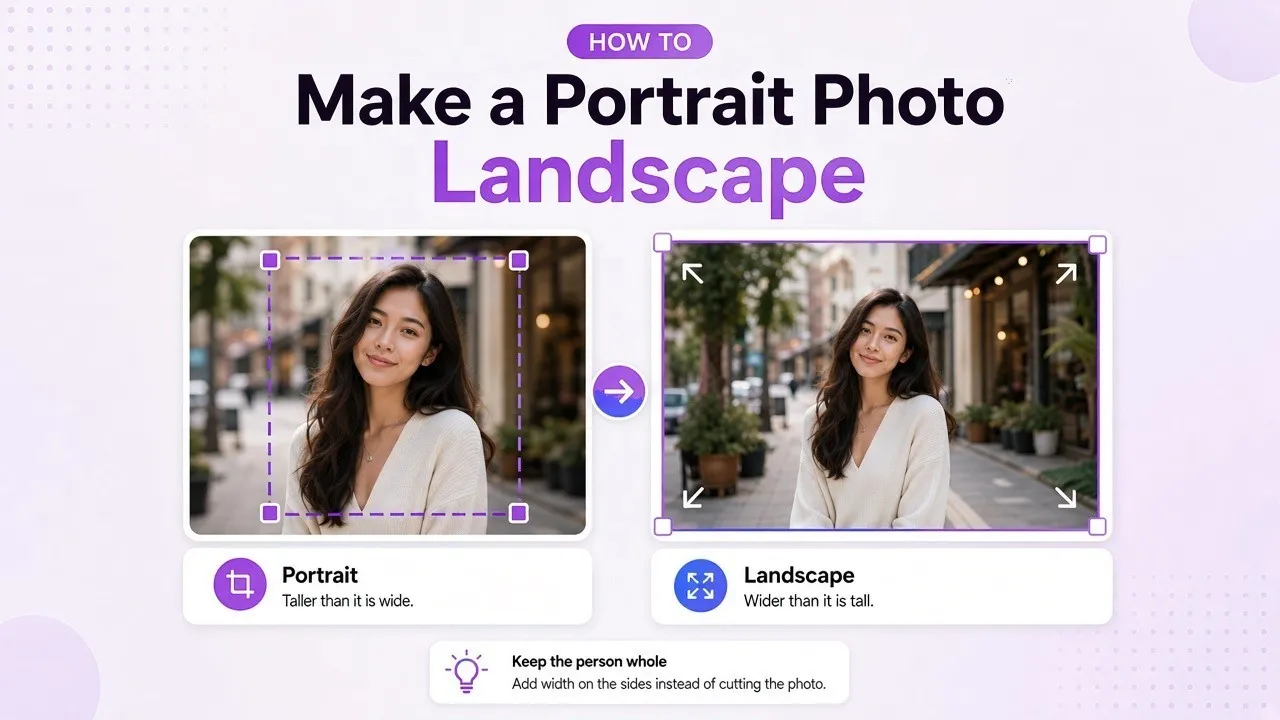
A portrait photo is taller than it is wide. A landscape photo is wider than it is tall. To make a portrait photo landscape, pick one of four edits before you open an app.
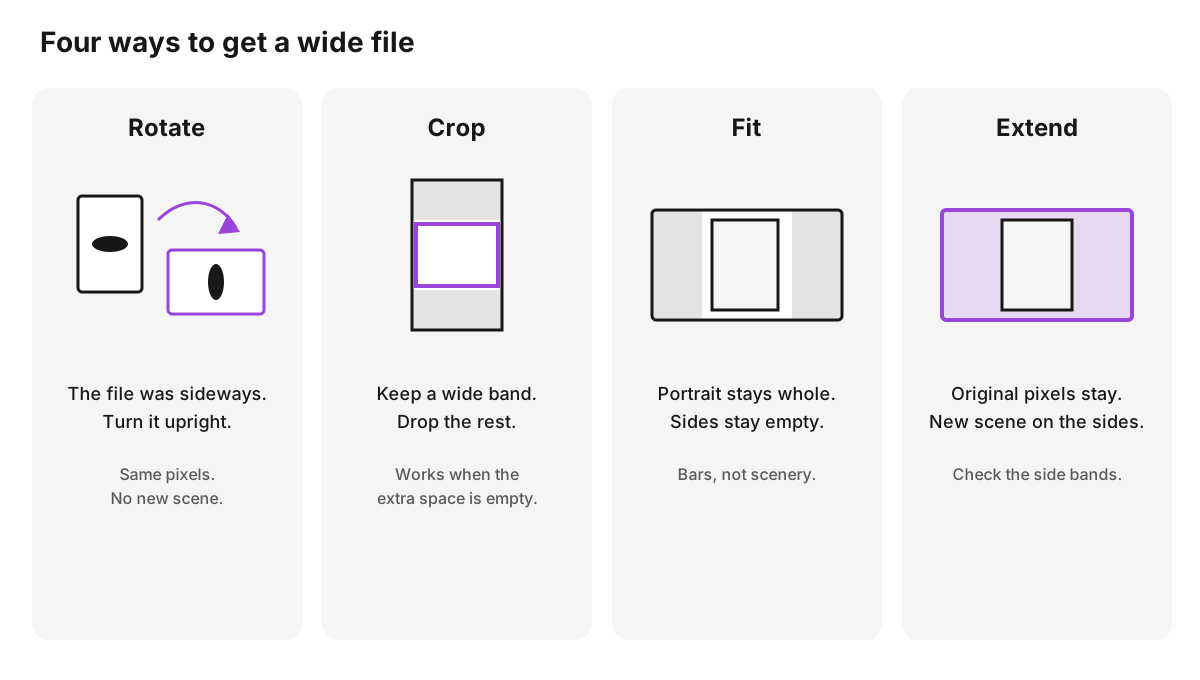
Rotate the file if the scene was saved sideways. Crop the top and bottom if those edges can go. Fit the portrait inside a wide frame if empty side bars are acceptable. Extend the left and right if the person has to stay whole.
Turning the phone does not change the file. Stretching the pixels until the person looks wide warps the subject. The four edits below keep the person in proportion. Only extending the canvas adds new scenery.
| The slot needs | What the edit does | Use it when |
|---|---|---|
| A wide file from a sideways photo | Turns the pixels you already have | The person is lying on their side in the file |
| A wide crop | Deletes the top and bottom | There is empty space above the hair or below the shoulders |
| The same photo inside a wide frame | Leaves the side bars empty | A slide or player can show bars |
| A wide photo with the person intact | Adds scene on the left and right | The face, hands, or product cannot be cut |
Name the slot before you edit. A video frame, a banner, and a mildly wide photo are different widths. The diagram in the next section shows that difference. Then use the table to pick the edit.
Match the width to the slot
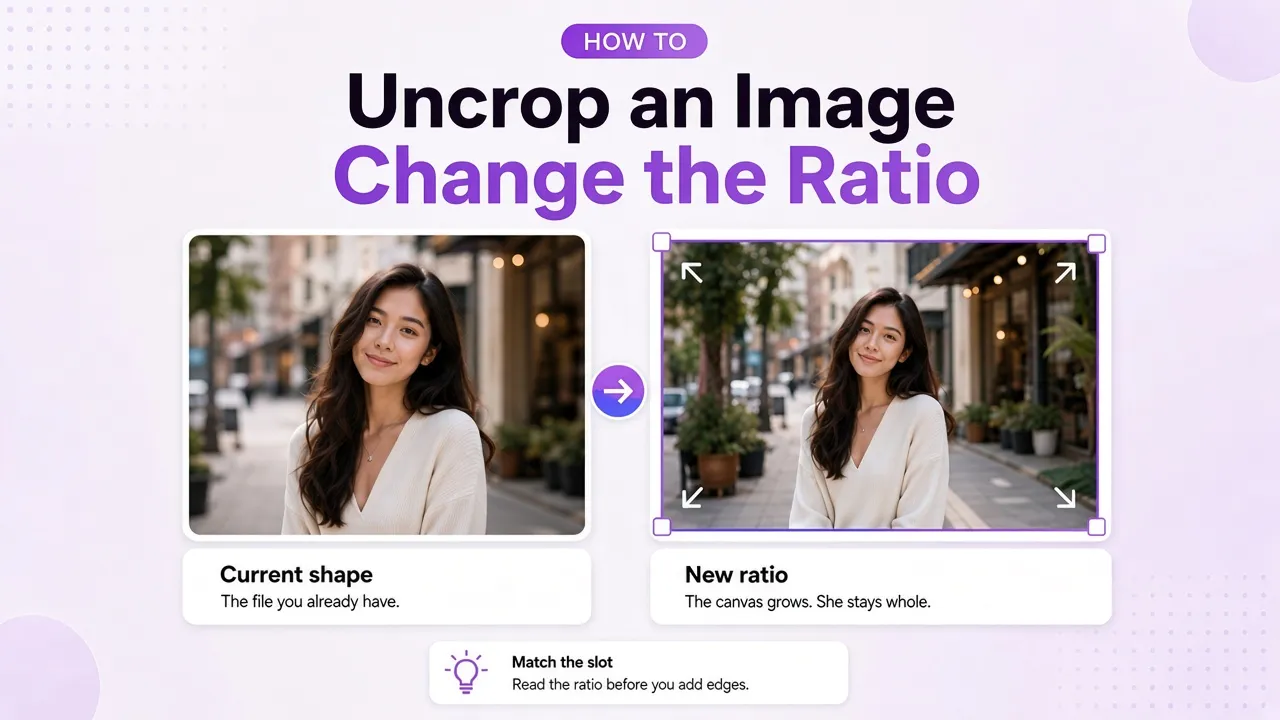
A 3:4 portrait and a 4:3 landscape are the same shape turned the other way. 4:3 is wider than it is tall, so it is a landscape file, and the change is small. 16:9 is the usual wide frame for video. 21:9 is a banner. Each step covers more empty width.
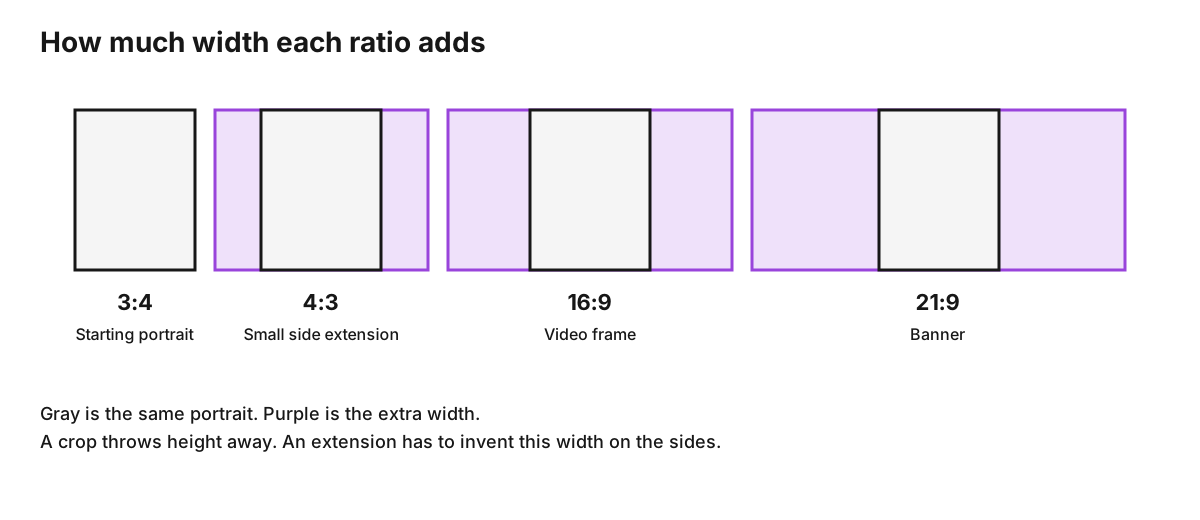
Read the purple the way the edit works. A crop does not add those side bands. It throws away height until the remaining band matches the wide ratio. An extension keeps the full portrait and has to fill the purple with new scene. The same ratio can mean either job. The slot decides which one.
Rotate only when the photo is sideways
Some camera apps save a tall file when the phone was held sideways. The person lies across the frame. Rotate that file a quarter turn. The person stands up, and the frame is already wider than it is tall. You used the pixels you already had.
If the person is already upright, that same quarter turn lays them on their side. Width and height swap, and the picture is wrong for the slot. Leave rotate alone when the subject is already standing the way you want them.
The control turns the whole file. It is separate from the crop frame and from any generate button. After the turn, check that the horizon is level and that the subject is upright. Stop there unless the slot is wider than this corrected file.
Crop when the top and bottom can go
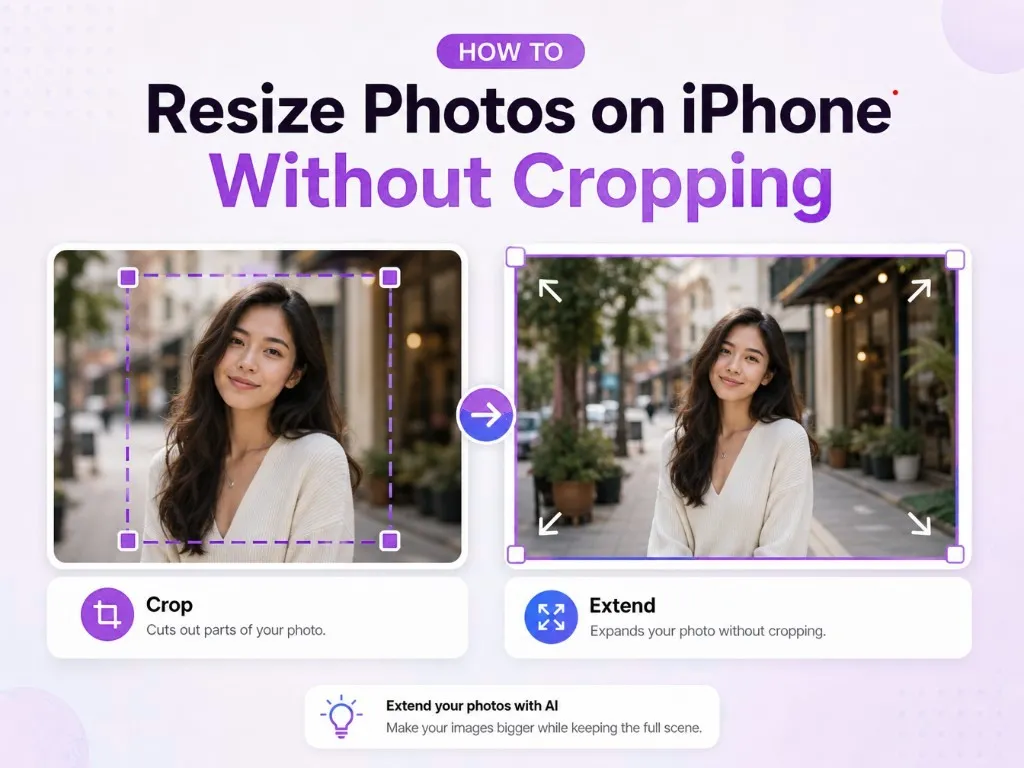
Cropping to a wide ratio keeps a horizontal band and discards the rest of the tall photo. On a head-and-shoulders picture, a move to 4:3 can work when there is empty wall above the hair and empty space below the shoulders. On a full-body picture, a 16:9 band often keeps the torso and loses the head or the feet. A group photo has the same problem when people stand at different heights.
- Open the photo in an editor that can lock a ratio.
- Set the ratio the slot uses, such as 4:3 or 16:9.
- Slide the band until the face stays inside it.
- Export, then look at what left the frame.
If the face, the hands, or the product leave the frame, this edit is the wrong one. A tighter crop will not bring them back. Fit the photo, or extend the sides.
How to make a portrait photo landscape without cutting the subject
Two edits keep an upright person whole. The results look different.
Fit places the original portrait in the center of a wide canvas. The leftover sides stay empty, or they take a flat color from the layout. The person is intact. The sides are blank. Use fit when the slide, the player, or the page already has a background and can show bars.
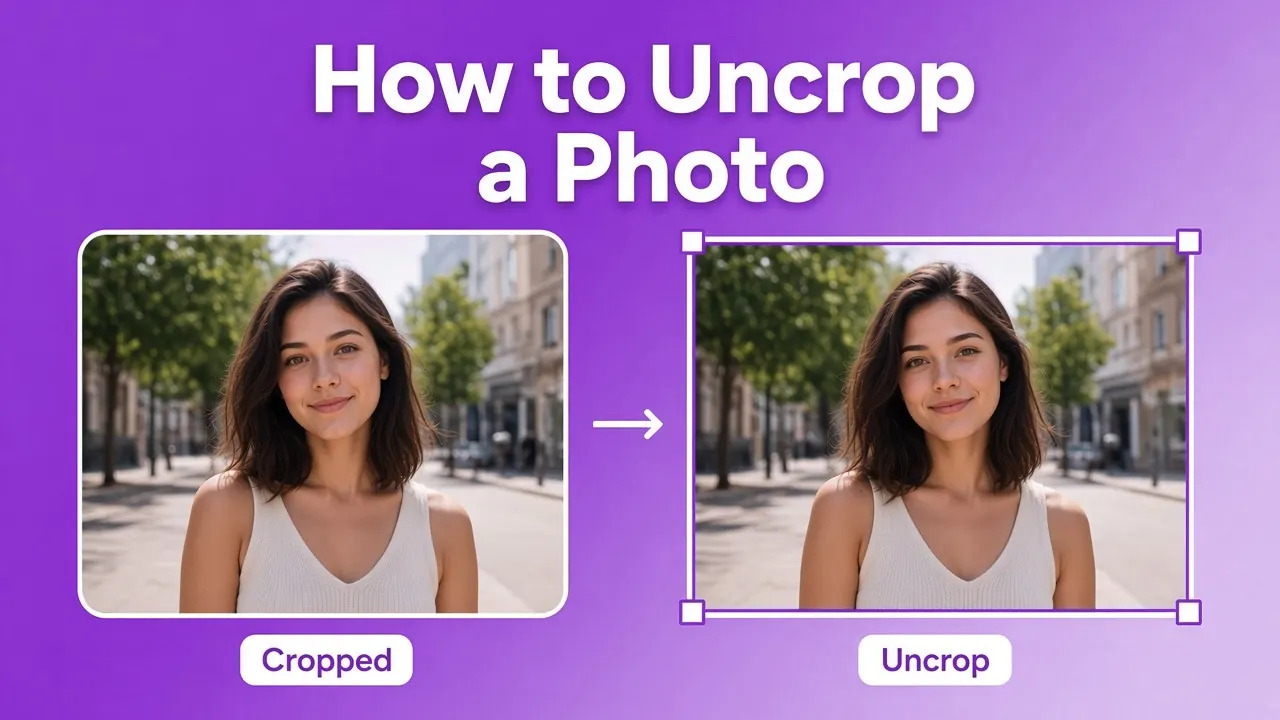
Extend keeps every original pixel and continues the scene to the left and right. The person stays where they were. The new sides should look like more of the same street, room, or sky. This edit does not rotate the photo, and it does not crop the subject.
If that is the job, use the page to turn a portrait photo into a landscape photo without cropping. The ratio choices there include 4:3, 16:9, and 21:9. The page opens on 4:3, which is the small change. Switch to 16:9 for a video frame, or to 21:9 for a banner.
A larger jump needs more invented scene. Moving from 3:4 to 4:3 adds a modest strip on each side. Moving from 3:4 to 21:9 asks for a wide new background. Plain walls, sky, and even light are easier. Signs, faces, and repeating patterns are harder. Look at the new sides before you keep the file.
Check the new sides before you use the file
The original portrait sits in the middle. The new pixels are the left band and the right band. Judge those bands on their own.
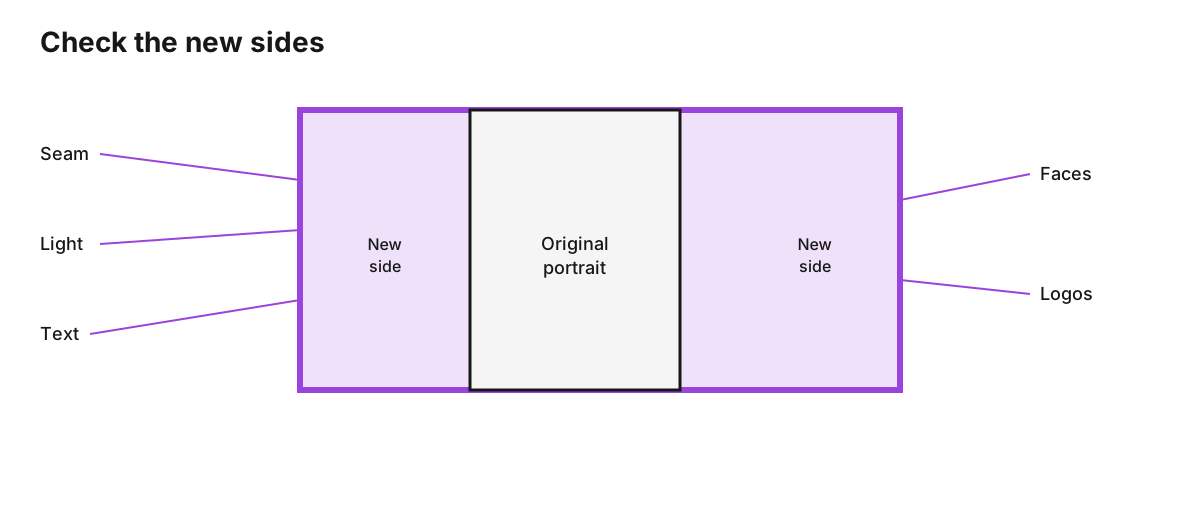
- Seam. Where the old edge meets the new side, look for a hard line, a repeated texture, or a sudden blur.
- Light. A sunny left side and a gray right side on the same street means the join failed.
- Text. Letters on signs in the new band often break into shapes that are not words.
- Faces and hands. Extra people in the new sides are a problem when you wanted the original subject alone.
- Logos and products. Reject a second logo, a changed label, or a warped package edge.
If a band fails, generate again or choose a less wide ratio. The original face was already in the photo. A clean face does not clear a broken side.
FAQs about making a portrait photo landscape
Does rotating a portrait photo make it landscape?
Yes, when the file was saved sideways. A quarter turn stands the person up and leaves a wide frame made of the original pixels. The same turn on an upright portrait lays the person on their side. The pixel dimensions swap, and the picture is wrong for a landscape slot.
Can a 16:9 crop keep the whole person?
A 16:9 crop of a tall photo keeps a short horizontal slice. Head-and-shoulders photos sometimes survive it when the extra space is empty wall. Full-body photos and groups usually lose a head, feet, or someone at the edge. If those parts have to stay, use fit or extend.
What if the wide slot has to show the whole person?
Fit the portrait inside the wide frame and accept empty sides, or extend the canvas so the scene continues sideways. A quarter turn lays an upright person on their side. A crop drops whatever falls outside the band.
Will the new sides match the original photo?
They can, on a plain background with even light and a small ratio change. They fail more often on text, faces, repeating tiles, and a jump from a tall portrait to 21:9. Check the side bands. The original face was already in the photo.
Can I make one landscape photo without an account?
Yes. A guest gets one successful generation per browser and per network each calendar month, in China time. That image is GPT Image 2 at 1K, and the try does not spend credits. The next generated image needs an account.
Is 4:3 a landscape ratio?
4:3 is wider than it is tall, so it is landscape beside a 3:4 portrait. 16:9 is wider. 21:9 is wider again. Pick the ratio the slot uses. Landscape only means the file should be wider than it is tall.