
Zoom Out Photo: Shrink It or Pull the Camera Back
Shrink a picture for free without it ever leaving your device, or switch to AI Zoom Out to step back from a shot that's framed too tight.
How to Zoom Out of a Photo
Resize Smaller (free, runs in your browser)
- Drop in a JPG, PNG, WebP or HEIC file up to 20MB.
- Pick 75%, 50% or 25%, or type an exact width or height. The aspect ratio stays locked unless you unlock it.
- Choose JPG, PNG or WebP, adjust quality for JPG or WebP if you like, and download. The new dimensions and file size appear instantly, and the file name includes the new size.
AI Zoom Out
- Switch to AI Zoom Out and add a photo up to 10MB.
- Choose 1.5x or 2x. A preview shows your original centered on the larger canvas.
- Click AI Zoom Out, drag the before/after slider, and download.
Zoom Out Photo Examples: Before and After
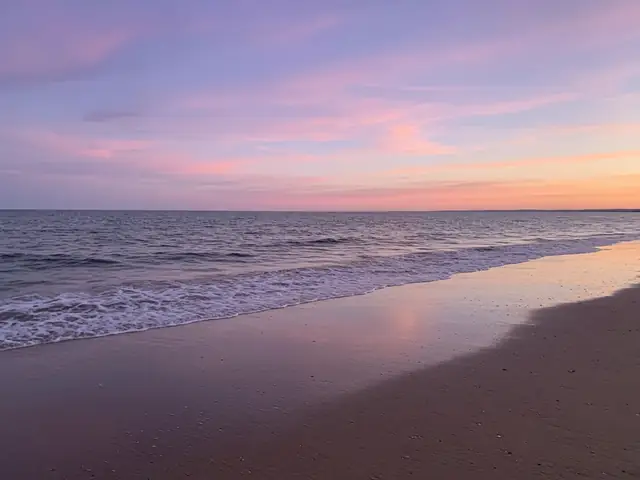
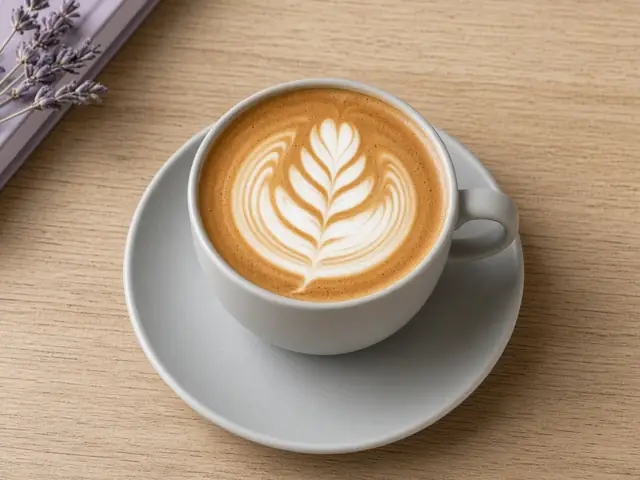 After · AI 1.5x
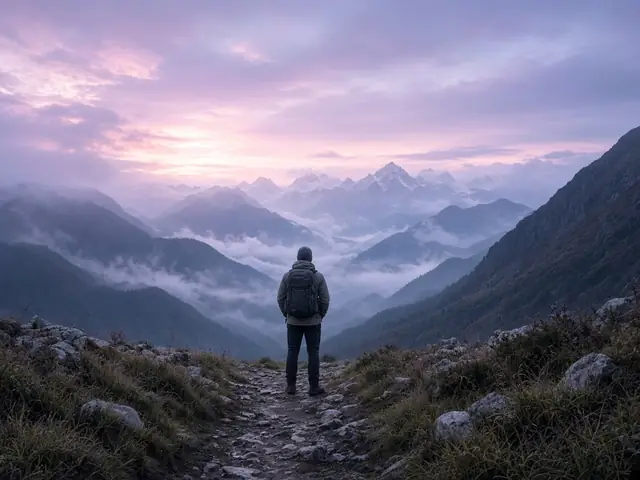 After · AI 1.5x
Resize Smaller vs. AI Zoom Out
Both make the subject look smaller in the frame, but they solve opposite problems.
| You want to… | Use |
|---|---|
| Get under an upload limit or shrink an email attachment | Resize Smaller |
| Hit an exact pixel size that a form or website asks for | Resize Smaller |
| Keep the photo private and process it offline | Resize Smaller |
| Fix a shot where the subject is jammed against the edges | AI Zoom Out |
| Add breathing room around a subject for a cover or poster, keeping the same shape | AI Zoom Out |
A simple way to remember it: Resize Smaller keeps the same picture and throws away pixels. AI Zoom Out keeps every one of your pixels and adds more scene around them. One makes the file smaller; the other makes the view wider.
How AI Zoom Out Fills the Scene
When you pick 1.5x, the tool builds a canvas 1.5 times as wide and 1.5 times as tall as your photo and places the original in the middle. At 2x the canvas is twice the width and height, so your original takes up a quarter of the final area. Everything outside that center rectangle starts empty.
The AI then studies the edges of your photo (the horizon line, the direction of the light, the color of the wall, the pattern of the floorboards) and paints the empty border so it continues naturally. A beach keeps going into more sand and sky; a café table gets more tabletop and maybe the edge of a chair.
Your original pixels aren't regenerated. The person, pet or product you photographed stays exactly as it was, and the photo's shape stays the same, so a 4:3 shot comes back as a 4:3 shot. There's no prompt to write: the instructions are built in and tuned to continue the existing scene rather than invent new objects.
When Zooming Out Pays Off
Upload limits and attachment caps
Job portals, rental applications and school forms often reject files over 1–2MB, and modern phone photos are usually larger. Resize Smaller at 50% leaves a quarter of the original pixels, which often brings the file under those limits without the image looking any worse on screen.
A cleaner site or blog
Uploading full-resolution photos to a website slows it down for every visitor. Shrinking them to the width your layout actually displays, often 1200 to 2000 pixels, keeps pages quick and cuts down on storage.
A shot framed too tight
Sometimes the moment is gone and the photo is cropped too close: a head touching the top edge, a dish cut off at the plate rim, a building with its roofline missing. AI Zoom Out gives the subject breathing room so the picture feels intentional.
Privacy-sensitive images
Because Resize Smaller runs on your own device, it's a sensible choice for ID scans, medical paperwork and photos of kids. Nothing is uploaded, and the tool keeps working even if you lose your connection midway.
Tips for Zooming Out
- Do the AI step before shrinking. If a photo needs both, run AI Zoom Out first. Shrinking first gives the AI fewer pixels to match.
- Pick WebP for websites. At around 80% quality, WebP is often noticeably lighter than a JPG of the same dimensions with no visible difference. Check the size readout before you download.
- Use 1.5x for people. A modest step back usually looks most believable on portraits; 2x suits landscapes, food and product shots with simple backgrounds.
- Watch busy edges. Text, crowds or repeating patterns cut off at the border are the hardest things for AI to continue. Edges with sky, walls, grass or a table give the cleanest result.
- Lock the ratio for forms. If a site asks for, say, 600 pixels wide, type the width and let the height follow to avoid squashing faces.
FAQs About Zooming Out of Photos
Will shrinking a photo make it look blurry?
No. Reducing size removes pixels, and the picture keeps looking sharp at its new size. It's enlarging a small photo that causes blur. For that, zoom in on a photo instead.
Does Resize Smaller upload my picture anywhere?
No. Resizing happens inside your browser, so the photo never reaches our servers. It's free, has no usage cap and works without an account.
What is AI zoom out?
It makes a photo look like it was taken from farther back. Your original stays centered while AI fills a larger canvas around it, matching the light, colors and surroundings already there.
How is AI Zoom Out different from Uncrop?
AI Zoom Out pulls back evenly on all sides and keeps your photo's original shape. If you want a new aspect ratio, like landscape to 9:16, or more room on just one side, uncrop your image instead.
Does AI Zoom Out cost anything?
Guests get one free AI try site-wide, and AI Zoom Out can use it. After that try, AI Zoom Out uses credits when you're signed in — signup includes a free credit grant; see Pricing. AI Zoom In (upscaling) isn't included in the guest try and always needs an account with enough credits. Resize Smaller stays free regardless. We don't list unit credit prices on the tool form.
What file types and sizes does each mode accept?
Resize Smaller accepts JPG, PNG, WebP and HEIC up to 20MB and 8192 pixels on the long side. AI Zoom Out accepts the same formats up to 10MB. Resize Smaller won't make a photo larger than the original.